Soulmask Interactive Maps & Locations

Soulmask Interactive Maps

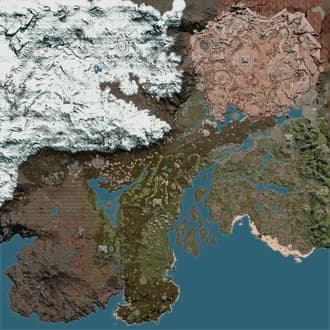
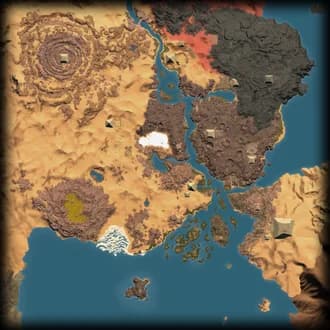
Explore Cloud Mist Forest Map, Shifting Sands Map in Soulmask with Chests, Dungeons, Teleporters, Resources, Animals, NPCs, plus more locations brought to you by The Hidden Gaming Lair!

2
Maps
34,041
Locations
Apr 26, 2026
Last Updated
In-Game Companion AppLive overlay with player tracking and auto-discoveryGet it free β†’
Get AD​ Free

Looting ads... πŸ’°

Website Updates

Tuesday, June 9, 2026

Enhanced Presets

Presets can now do a lot more:

  • Save sizes & alerts, not just filters β€” when you save a preset, pick what it captures: active Filters, your icon sizes, and your audio alerts. Applying it restores exactly those.
  • Drag to reorder β€” grab the handle and arrange presets in any order (e.g. one per map).
  • Export & import β€” share a single preset as a file with a friend; importing adds it to your list without overwriting your other presets or profile.
  • Plus one-click Update (re-save a preset to your current setup) and an active highlight on the preset that matches your current view.

Per-Filter Live Mode

Live mode is no longer all-or-nothing. Set it per filter β€” choose whether each one shows as Predicted, Combined, or Live. For example, track bugs live while keeping ore as predicted locations.

See Your Active Audio Alerts

Ever wondered where that ping is coming from? Settings now lists every enabled audio alert in one place, so you can see and turn off exactly what's making sound. You can also enable an optional notification that names the alert that just fired.

More Reliable Peer Link

Peer Link now runs on our own signaling server instead of a shared public one β€” fixing the intermittent "can't connect to peer mesh" drops some of you ran into.

Bug Fixes

  • Audio alerts no longer ping for nodes you've already marked as discovered.
  • "Mark discovered" (F10) now works in Live mode and correctly greys out / hides respawning nodes across all view modes.
  • Shared route/filter files that had stopped showing on the map now import and display correctly again.
  • @Palia: amber-encased fishing hotspots are now a separate (infected) filter β€” they don't give starred fish, so you can hide them when hunting for stars.

Sunday, May 31, 2026

Community & Synced Filters

In the My Filters section you can now browse Community Filters β€” filters shared by other users. This is an early test feature and I'd love your feedback! Browsing requires an account.

Your existing private and shared filters can now sync with your account too. Without an account they stay in your browser only; with an account they're stored server-side and synced across your devices.

Peer Link

You can now set a player name and color in Peer Link, shown to others in your group. Makes it much easier to tell teammate icons apart on the map.

FAQ Channel

The https://discord.com/channels/320539672663031818/1038352744341311528 is now synced with the website FAQ, so both stay consistent and are easier to maintain. If anything's missing or unclear, let me know.

Reset Audio Alerts

App settings now has a one-click Reset all for per-filter audio alerts β€” turns every alert back off (separate from Mute All, which only silences them).

New Server Provider

I moved all projects from Vercel to Bunny β€” more control and lower hosting costs. This should also fix connection issues for users in Russia and other regions that often block Vercel or Cloudflare.

Bug Fixes

  • Height indicators (up/down arrows) are visible again β€” and now show for live spawns too
  • Fixed duplicate "Other Player" icons
  • Fixed custom node names not displaying
  • Mobile: Whiteboard and Peer Link now open from the map-tools menu
  • Palia: restored missing Lumberjacking filters (flow-infused saplings)

Tuesday, May 26, 2026

Live Mode is now a Tri-State Control

The Live Mode on/off toggle has been replaced with a three-way segmented control: Predicted, Combined, Live. Pick what you want to see on the map at any moment.

  • Predicted β€” only the static and predicted spawn data are visible. No live tracking.
  • Live β€” only spawns confirmed by the apps live reading. Permanent landmarks (vendors, towns) stay visible. Dynamic predictions are hidden β€” you only see what's actually there right now.
  • Combined β€” both modes layered: predicted spawns render faded, live-confirmed spawns render in full color. You see everything that could be there, with clear visual distinction for what's currently there.

The F5 hotkey now cycles through the three modes (was "Toggle Live Mode", now "Cycle Live Mode").

Performance Improvements

The overall rendering performance in the apps should be improved during player movement and panning the map.

Filter Search

A new search input inside the filter panel narrows visible filter groups + values by display name. Matching groups auto-expand and non-matching values are hidden, so you can find a filter without scrolling through dozens of categories. Works in all 18 supported languages.

The old "Expand all / Collapse all" toggle has been removed.

App Lineup Changes

  • Avowed Overwolf app and Hogwarts Legacy Overwolf app are deprecated. Both games are still fully supported in the THGL Companion App.

UI Fixes

  • Dialogs that were rendering partially off-screen (especially in small overlay windows) are now properly clamped to the viewport
  • Marker tooltips with high contextual content no longer get cut off when near the screen edge

Looking for more updates? Check out our Discord Server for the most recent changes!

Get AD​ Free

Looting ads... πŸ’°